
Work Buds - Factory Reset
JLab Work Buds Not Pairing? Fix Connectivity Issues with a Manual Reset
If your JLab Work Buds earbuds are not pairing together, only one earbud is connecting, they are connecting separately to your device, or you're experiencing general connection failures (like one side not working), follow these manual reset instructions. This process can help when your JLab Work Buds earbuds are disconnected from each other (coming up as separate devices) or are not connecting to your device.
While these instructions are specifically for the JLab Work Buds, they are also effective for resolving common pairing issues with other JLab True Wireless earbuds.
- Keep earbuds in the charging dock and forget "JLab Work Buds" in your Bluetooth device settings.
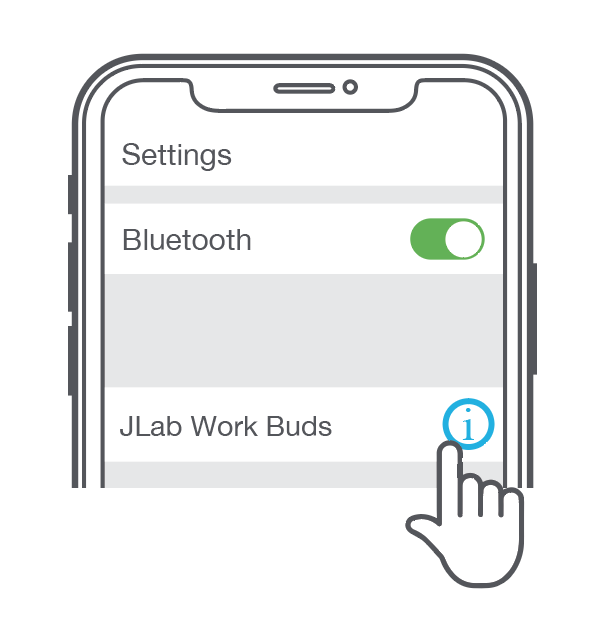
- Quickly tap 7 times on one earbud in the charging case. The earbud should blink blue 4 times.
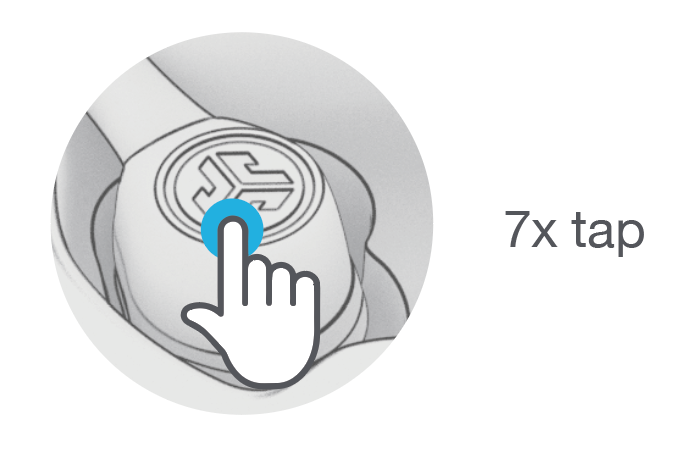
- Quickly tap 7 times on the other earbud in the charging case. The earbud should blink blue 4 times.

- Take both earbuds out of the charging case. One earbud will blink blue/white, indicating ready to pair to your device.
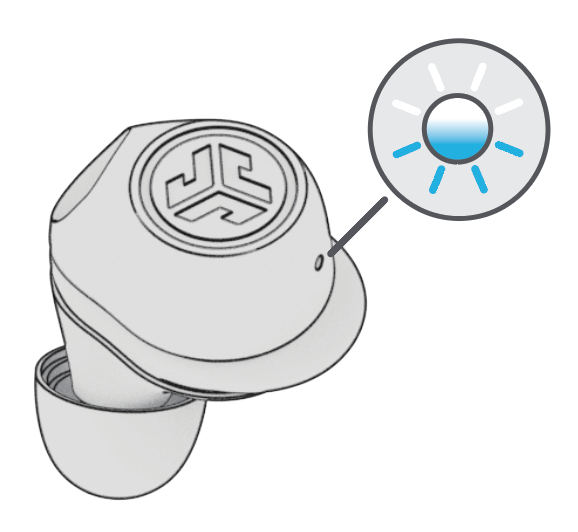
One earbud will be solid white, and the other will blink blue/white, indicating it is ready to pair to your device. The earbuds should no longer come up as separate devices once paired together.
**If your earbuds do not light up when removed from the charging case, please reach out to our support team so we can discuss possible warranty options.